

Not everyone wants their words gobbled up and regurgitated by AI. Are the LLMs nicking your work? Protect your content with robots.txt.
It happened to us, we were reading the AI overview for a search we had made (we’re only human), trying to find some up-to-date information. “Hang on,” we thought, “this looks familiar!” And indeed it was, we wrote it some years ago – on our blog. There we are, top of the pile.
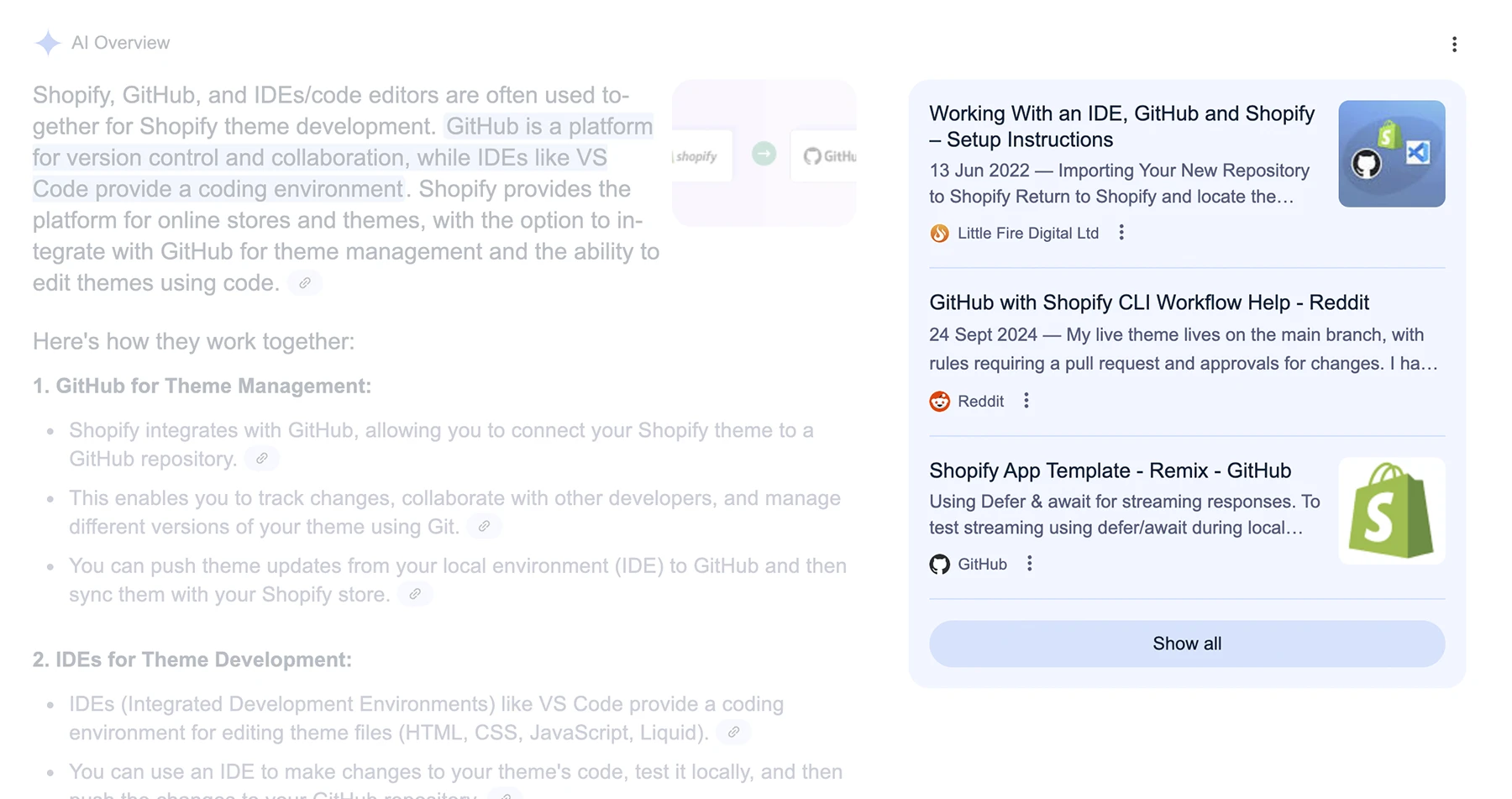
Personally, we’re not bothered; that’s us at the top of Google. But that content is ours; we wrote it, as the originators of that content, we own the copyright, and Google has copied it and re-presented it as AI content in breach of that copyright. In this instance, we’re prominently cited so we’re happy. But those citation slots are few and it’s easy to imagine why you might want to protect your content.
As of July 2025, Google’s AI overviews are still disabled in the EU. Amongst other things, the bloc is far from convinced that appropriate credit is given to those who create original content. They see protecting content as more important than giving Google and its associates free rein.
Table of Contents
Why Protect Your Content?
The balance has always been tricky. Google has always published creators’ content to the web; it’s what Google does and what creators very much wanted it to. And, until now, it has been the best publicity that there is. But with the advent of AI overviews, AI search and the other LLM-based search apps (ChatGPT, Microsoft Copilot and others), the role of the creator has been much occluded. It’s unclear who those various agents credit as creators of their content, but it is no longer explicitly yours.
Call it what you will, AEO (AI Experience Optimisation), the process to get ahead, to remain visible in this new age, will demand finding ways to get your content read and syndicated by AI. Still, there are reasons you might wish to protect your content from the Large Language Model (LLM) search process:
- Because generative processes paraphrase content without any true insight, they can easily get the intent of your writing wrong. On occasion, AI can and does completely reverse the original meaning of the content it parrots.
- This is your copyright; the value of preserving that may well outweigh the benefit of your content being broadcast without credit. If you permit breach of copyright, it can be far harder to assert it later.
- Misattribution – Google’s main AI rival, ChatGPT 5 is out, and any improvements have yet to be seen, but its predecessor, ChatGPT 4, only got a small proportion of its citations accurate. You may not wish to contribute to any further misinformation.
Fortunately, protecting content from LLM search is relatively simple.
Just as you can stop search engines like Google or Bing from crawling certain parts of your website using the robots.txt file, you can also use this mechanism to signal to LLM crawlers that you do not want your site indexed, scraped or used in AI training datasets.
This post will walk you through exactly how to use robots.txt to control AI crawler access, with examples and best practices.
What Is robots.txt?
The robots.txt file is a plain text file that lives in the root directory of your website (i.e. https://yourdomain.com/robots.txt). It’s so useful, we wrote a whole post about it.
robots.txt provides instructions to automated bots – also known as “user-agents” – about which parts of your site they are allowed (or not allowed) to access.

It’s one of the oldest standards of the web and is respected by all well-behaved bots, including those from search engines and now many AI companies.
How Can robots.txt Protect Your Content?
AI crawlers, just like search engine bots, need to fetch and read your web pages in order to train their models or generate answers in AI chat interfaces. If you want to prevent your content from being scraped, summarised, or incorporated into AI tools, using robots.txt is a strong starting point.
While robots.txt does not technically enforce blocking (there’s no mechanism stopping a bad actor from ignoring it), most any reputable AI providers will respect it.
Step-by-Step: Blocking LLM Crawlers with robots.txt
1. Locate or Create Your robots.txt File
If you already have a robots.txt file on your site, it should be accessible at:
https://little-fire.com/robots.txtCode language: JavaScript (javascript)If you don’t have one yet, create a plain-text file named robots.txt and upload it to the root of your web server.
2. Add Rules to Disallow LLM User-Agents
You can disallow access to specific bots by targeting their user agents. Many AI companies publish their crawler names publicly. Here are some known user-agent names and how to block them:
User-agent: GPTBot
Disallow: /

User-agent: ChatGPT-User
Disallow: /

User-agent: anthropic-ai
Disallow: /

User-agent: ClaudeBot
Disallow: /

User-agent: Google-Extended
Disallow: /

User-agent: CCBot
Disallow: /

User-agent: facebookexternalhit
Disallow: /

User-agent: ia_archiver
Disallow: /
Code language: HTTP (http)
Let’s break this down:
User-agentspecifies the bot name.Disallow: /tells that bot it is not allowed to crawl any part of your site.
You can also block all bots, including LLMs and search engines, by adding:
User-agent: *
Disallow: /Code language: HTTP (http)
However, this is not recommended unless you also want to block search engines like Google and Bing entirely, which will harm your SEO and visibility.
Common LLM Crawlers You Might Want to Block
Here’s a quick overview of major LLM-related bots and what they do:
| User-Agent | Organisation | Purpose |
|---|---|---|
GPTBot | OpenAI (ChatGPT) | Crawls content for model training |
ChatGPT-User | OpenAI | Fetches content during browsing |
ClaudeBot | Anthropic (Claude) | Gathers data for LLM responses |
Google-Extended | Google (Gemini) | Allows content usage in AI models |
CCBot | Common Crawl | Supplies data to multiple LLMs |
facebookexternalhit | Meta | Shares previews and potentially used in AI |
ia_archiver | Amazon/Alexa | Archives web pages, sometimes used in datasets |
Always consult official documentation from these providers if you want the most current user-agent names.
Optional: Block All AI Crawlers (But Not Search Engines)
If you want to allow search engines (like Googlebot and Bingbot) but block AI crawlers, here’s a good middle-ground setup:
User-agent: GPTBot
Disallow: /

User-agent: ChatGPT-User
Disallow: /

User-agent: anthropic-ai
Disallow: /

User-agent: ClaudeBot
Disallow: /

User-agent: Google-Extended
Disallow: /

User-agent: CCBot
Disallow: /

# Allow search engine bots
User-agent: Googlebot
Disallow:

User-agent: Bingbot
Disallow:
Code language: HTTP (http)
This approach ensures your site stays searchable but is off-limits to AI training bots.
Testing and Verifying Your robots.txt
Once you’ve updated your robots.txt file:
- Visit
https://yourdomain.com/robots.txtto ensure it’s accessible. - Rankmath has a super useful tool to test your rules (for SEO crawlers).
- Monitor your access logs to verify that known LLM bots are not visiting your site.
Remember, some bots may ignore the rules, so keep an eye out.
Limitations and Considerations
- No enforcement mechanism:
robots.txtis advisory. Malicious crawlers can ignore it. - Doesn’t remove existing data: If your content has already been scraped and included in training data, blocking future access won’t remove what’s already there.
- Future developments: As regulations evolve, we may see more enforceable standards for AI access. But for now,
robots.txtis your best line of defence.
Bonus Tip: Combine With llms.txt
For even more precision and clarity, use robots.txt in conjunction with llms.txt – a newer file that allows you to set AI-specific usage policies (e.g. require attribution, prohibit training, etc.).
Think of robots.txt as the access gate, and llms.txt as the terms and conditions.
Final Thoughts
As AI tools and LLMs continue to reshape how content is accessed and reused, site owners have an increasing need to set clear boundaries. While we may not be able to fully control how AI companies use web data, robots.txt provides a practical, industry-recognised method to signal your intent.
Whether you’re a small blog, a large publisher, or a company protecting proprietary material, taking a few minutes to update your robots.txt file is a smart step in asserting your digital rights.
Want help to protect your content? Worried about crafting your own robots.txt to keep LLMs out? Drop us a line.