

Submitting your XML sitemap helps search engines crawl and index your website more efficiently. Below are the instructions to submit a sitemap to Google and Bing.
There are other search engines, but these are the most important. Both Google and Bing provide results to many other search services (like DuckDuckGo). Submitting to these two giants will get you the most impact for least effort.
Table of Contents
What is an XML SiteMap? Why Submit your XML Sitemap?
Sitemaps are text-based files optimised for search engines. They tell the search engine which pages you want to appear on the Search Engine Results Page.
Search Engines love XML sitemaps.
Your sitemap is like a shopping list – “Hi Google, index me this, just this!” – you’re telling the search engines what you want them to index and rank. Just like people, give them clear, simple instructions and you are likely to get better results.
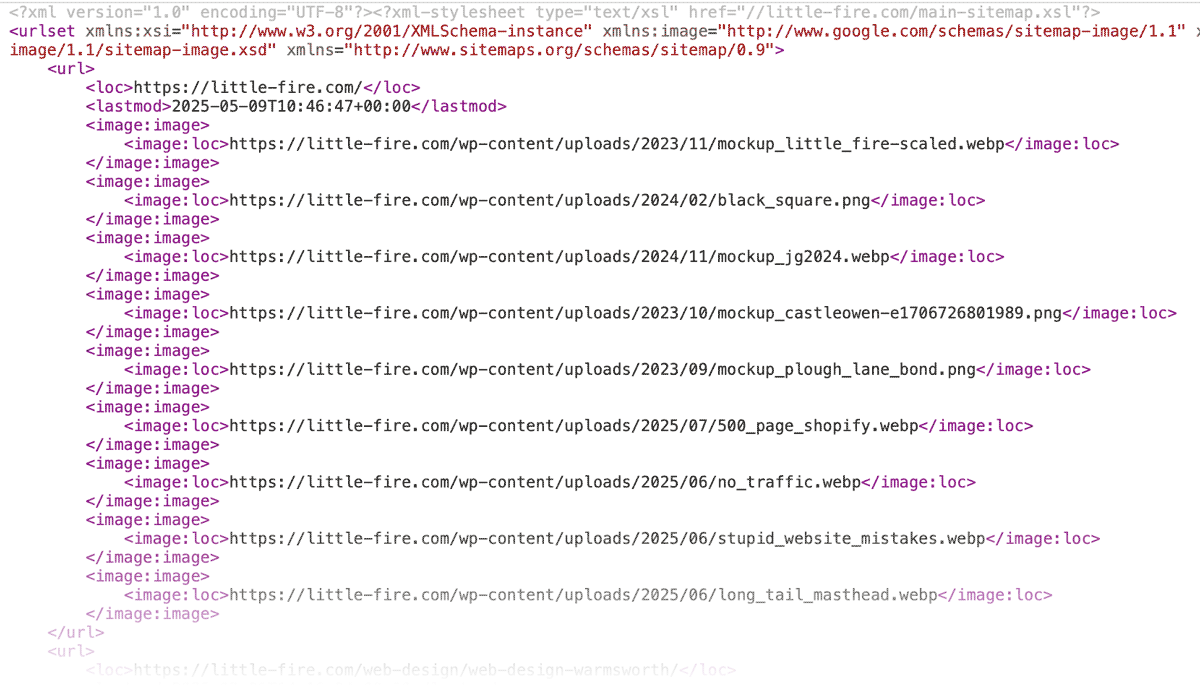
Google and Bing need to know about your sitemap – they may not always be able to find it. To be sure they find it, you must submit it.
How to Submit Your XML Sitemap
- Create a Google Search Console account
Visit: https://search.google.com/search-console
Sign in with your Google account and add your website. - Verify your website
Choose a method (HTML file upload, DNS record, Google Analytics, etc.) and follow the instructions to verify ownership. - Submit your XML sitemap
- In the left sidebar, go to “Sitemaps”.
- Enter the full URL of your sitemap (e.g.,
https://yourdomain.com/sitemap.xml) - Click “Submit”.
- Check status
Google will start processing the sitemap. Check back to see crawl stats or any errors.
Bing (also covers Yahoo!)
- Go to Bing Webmaster Tools
Visit: https://www.bing.com/webmasters/
Sign in with your Microsoft, Google, or Facebook account. - Add your site and verify ownership
Just like Google, use one of the recommended methods to prove you own the site. - Submit your XML sitemap
- From the dashboard, select your site.
- Go to “Sitemaps” in the menu.
- Enter your sitemap URL and click “Submit”.
- Monitor progress
Bing will analyse the sitemap and report any issues.
Top Tip
Check a link to your sitemap appears in your robots.txt file like this:
Sitemap: https://little-fire.com/sitemap_index.xmlMost website builders will do this automatically. This will help other search engines discover your XML sitemap.