

We were trying to get to Shopify’s Summer Editions to review them and tell you all about them, sadly the scrolling kept breaking and we were met with a 500 status code displayed as floating beach inflatables. While an inventive way of capturing and displaying a page, people not familiar with status codes might find it just confusing.
Also, Shopify, lovely as that page is – 12 500 Internal Server Error messages is a pretty frustrating experience.
So what is a status code? Here’s our guide to what they are and a quick explanation as to the purpose of all 63 of them:
Table of Contents
What is a Status Code?
HTTP status codes are short, standard messages used by web servers to tell browsers or other clients what happened when they tried to load a page or resource. First introduced in the early 1990s as part of the HTTP protocol, these codes provide a quick and universal way to communicate the outcome of a request: whether it was successful, redirected, resulted in an error, or is still being processed.
For developers, these codes are invaluable for debugging websites, APIs and applications. They help quickly identify if a problem lies with the request being sent, the server, or the resource itself. Fortunately, most people will only ever encounter a few of these, like “404 Not Found” or “500 Internal Server Error”, because well-designed websites handle most issues quietly in the background.
Sanity Check – Who’s The Client?
In this instance, a server means any service offered by a computer on the internet or an internal network. A server will provide a web page, shipping data, your current position in the online game, and a video feed and so on.
A client in this instance does not necessarily mean a human being. A client may be a device such as your phone – you load a game on your phone and the device will make the following requests:
- Check the game developer’s server for game updates
- Load the game data
- Check Facebook to see if you have an account set up with them
- Query Facebook for your profile image and your last played level
After each request, the server will return a status code and, if the query is successful the requested data. The process collates the resources required to run the game. If any stage fails, the device (the client) may make another request (for example, to a different server which isn’t offline) or fail elegantly with a message like: “Communication with the server failed, please try again later.”
This may be frustrating, but status codes enable the capture of adverse events and allow developers to make your software respond in a user-friendly fashion without crashing. The fact that you see so few of the 63 is testament to how well the system works.
A server may also act as a client – a weather app which provides forecast data may well consult other services to create a richer experience: air quality, satellite data, display graphics etc. The server will then convert these resources into a rich stream of engaging weather data to display on (for example) the BBC weather website.
You are much less likely to see anything other than a 5XX or 4XX warning – so we have put the grouped status codes in reverse order.
5xx – Server Error
The 5XX (500 and above) status codes indicate a hard, unfixable error. Somewhere in the chain of website services required to build your app or web page, a link has broken in a way that cannot be resolved. For this reason (except the 404 Page Not Found status code), the 5XX status codes are the ones most frequently seen.
5XX status code errors can be very difficult to pin down. To build a web page, the client (your device) may ask a server for content, which in turn asks a server for data, which in turn, may ask another server for authentication. If any of those processes fail, every status code must be collected and handled correctly. If not managed well, these “upstream errors” can result in a simple 500 Internal Server Error status code.
Even if you’re in the room with one of the servers, you’re vanishingly unlikely to be able to access them all. 5XX errors are strictly developer territory – and be kind to them if they cannot figure it out right away.
- 511 Network Authentication Required – You need to log in to the network to continue. Often seen with public WiFi requiring sign-in.
- 500 Internal Server Error – Something went wrong, it’s not your fault. A general server error occurred while assembling your page – the computer says “No”.
- 501 Not Implemented – The server doesn’t know how to do what you’ve asked. The feature might not be supported.
- 502 Bad Gateway – The server got an invalid response from another server. Usually an issue with upstream servers.
- 503 Service Unavailable – The server is down or too busy. Try again later.
- 504 Gateway Timeout – The server didn’t get a response from another service in time. It’s like a communication breakdown.
- 505 HTTP Version Not Supported – The version of the web protocol you’re using isn’t supported. You may need to upgrade.
- 506 Variant Also Negotiates – There’s a server configuration problem with resource negotiation. It’s a setup issue.
- 507 Insufficient Storage – The server doesn’t have enough space to store the result. Usually applies to WebDAV servers.
- 508 Loop Detected – The server found an endless loop while processing. It’s stuck going in circles.
- 510 Not Extended – You need to provide more information to complete the request. More instructions or extensions are required.
4xx – Client Error
Client error 4XX status codes, in this case, will almost always mean a device is the client. You’d be hard pressed to generate anything other than a 404 Not Found with a web browser. However, when a device requests data from a functioning server and, for whatever reason, the server cannot provide it a 4XX error is the likely outcome.
- 400 Bad Request – The server couldn’t understand your request, please check what you sent. Possibly due to bad syntax.
- 401 Unauthorized – You need to log in or provide proper credentials. The server doesn’t recognise you yet. This is the correct response before you are redirected to a login page.
- 402 Payment Required – You need to pay to access this resource (rarely used). Reserved for future use.
- 403 Forbidden – You’re not allowed to access this, even if you’re logged in. You lack the right permissions.
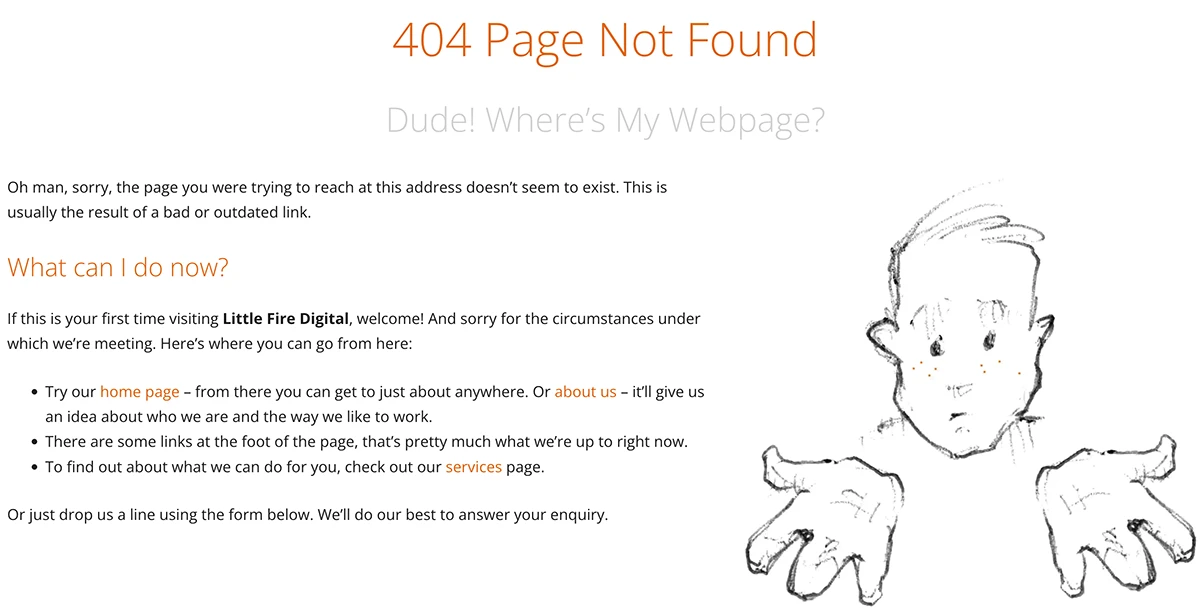
- 404 Not Found – The page or resource doesn’t exist. Maybe the link is broken.
- 405 Method Not Allowed – The way you tried to access the resource isn’t supported. For example, sending a DELETE where only GET is allowed.
- 406 Not Acceptable – The server can’t send the data in the format you want. You might need to accept different types of content.
- 407 Proxy Authentication Required – You need to log in to the network’s proxy first. It’s a step before your request can continue.
- 408 Request Timeout – You took too long to send your request. The server gave up waiting.
- 409 Conflict – Your request conflicts with something already happening. Maybe someone else edited the same resource.
- 410 Gone – The resource used to exist but it’s been removed permanently. Unlike 404, it’s intentional.
- 411 Length Required – The server needs to know how big your request is. You forgot to specify the content length.
- 412 Precondition Failed – Conditions you set for the request weren’t met. Like version checks failing.
- 413 Payload Too Large – What you’re sending is too big. The server refuses to process such large data.
- 414 URI Too Long – The web address you’re using is too long. Possibly due to too many parameters.
- 415 Unsupported Media Type – The server doesn’t understand the format of your request. For example, sending XML where only JSON is accepted.
- 416 Range Not Satisfiable – The part of the resource you asked for isn’t available. Could happen when resuming downloads.
- 417 Expectation Failed – The server couldn’t meet the expectations you specified. Usually linked to ‘Expect’ headers.
- 418 I’m a Teapot – A playful code meaning “this server refuses to brew coffee”. Originally from an April Fools’ joke – bless the geeks, they think things like this are funny.
- 421 Misdirected Request – Your request was sent to the wrong server. The connection doesn’t match the resource.
- 422 Unprocessable Entity – The server understands what you sent, but can’t process it. Often due to semantic errors.
- 423 Locked – The resource you’re trying to change is locked. It can’t be modified until unlocked.
- 424 Failed Dependency – Your request failed because something it depended on failed. It’s part of a chain of requests.
- 425 Too Early – The server thinks it’s too risky to process your request now. It helps prevent replay attacks.
- 426 Upgrade Required – You need to use a more modern or secure connection. Often used to force HTTPS.
- 428 Precondition Required – Your request needs to have specific conditions set. Helps prevent accidental overwrites.
- 429 Too Many Requests – You’ve sent too many requests in a short time. Slow down to avoid being blocked.
- 431 Request Header Fields Too Large – The information in your request headers is too large. You might be sending too much data.
- 451 Unavailable For Legal Reasons – This content is blocked for legal reasons. Such as censorship or court orders.
3xx – Redirection
The 3XX status codes all mean that, for some reason, you need to go somewhere else for the information
- 300 Multiple Choices – There are several options, please choose one. Like different formats or versions.
- 301 Moved Permanently – The page or resource has moved and it won’t be coming back. You should update any saved links. The 301 status code is one of the most widely used on the internet.
- 302 Found – The resource is temporarily somewhere else. Keep using the old link for now.
- 303 See Other – You should look elsewhere to get the result you want. The response can be found via a different address.
- 304 Not Modified – Nothing has changed since you last checked, so use your saved version. Saves bandwidth.
- 305 Use Proxy – You need to access the resource through a special gateway or proxy. Rarely used.
- 306 (Unused) – This code is no longer in use. It was reserved but deprecated.
- 307 Temporary Redirect – The resource is elsewhere for now, but use the same method to request it. Useful for POST requests.
- 308 Permanent Redirect – The resource has permanently moved, and the method you use to access it stays the same. It tells clients to update bookmarks.
2xx – Success
Everything went well – if everything went well, why would any app show you a status code? It’ll just let you get on with your browsing, gaming, researching, whatever.
- 200 OK – Your request was successful, here is what you asked for. This is the most common response for a successful action.
- 201 Created – Something new has been created as a result of your request. For example, a new account or document.
- 202 Accepted – Your request was accepted but might still be in progress. You may get the result later.
- 203 Non-Authoritative Information – Here’s the result, but it may have come from somewhere other than the original source. Useful when using a proxy.
- 204 No Content – Request succeeded, but there’s nothing to show you. Often used when an update happens but no page refresh is needed.
- 205 Reset Content – Request succeeded, please reset the form or page you were on. It’s used to clear forms or inputs.
- 206 Partial Content – You’re only getting part of the information because that’s what you asked for. Useful for resuming downloads.
- 207 Multi-Status – Here are several related status messages all at once. Often used in WebDAV for multiple resources.
- 208 Already Reported – We’ve already sent this information before, no need to repeat it. It avoids duplicates.
- 226 IM Used – The response has been modified using advanced techniques to save time or data. It uses instance manipulation.
1xx – Informational
The 1XX status codes mean that the request has been received and is being processed. As with 2XX status codes, no one is ever going to tell you everything is going fine – it would just make you nervous.
- 100 Continue – The server is happy with the initial part of your request, please carry on. It’s a signal to continue sending the rest of the information.
- 101 Switching Protocols – The server is switching to a different way of communicating, as you asked. This usually happens when upgrading to a more secure or efficient protocol.
- 102 Processing – The server is working on your request but it’s taking a little longer. You won’t get a final answer yet.
- 103 Early Hints – The server is giving you an early heads-up so you can start loading things sooner. It’s a way to improve speed by hinting which resources to fetch.
If You’re Seeing Numbers You Don’t Like …
If you don’t like them, it’s more than likely your customers will like them even less. Contact Little Fire, we’re experts, we can fix your customers’ experience.