

A few weeks back, we were contacted by a new potential client, good stuff we thought. Our new contact was, like many, disappointed with his e-commerce website … it wasn’t old, he’d paid fair money and yet the site, his investment, was coasting along, making a minor sale every few months. “Great!” we thought, a challenge: as always, we started with a quick website review over the phone … “What’s your domain?” we asked.
A quick clatter of keys later and, whoah! this is going to need a serious website rescue …
Table of Contents
Whassap?!
Before we had even seen a single page – our anti-virus software had intervened had presented us with this alarming warning:
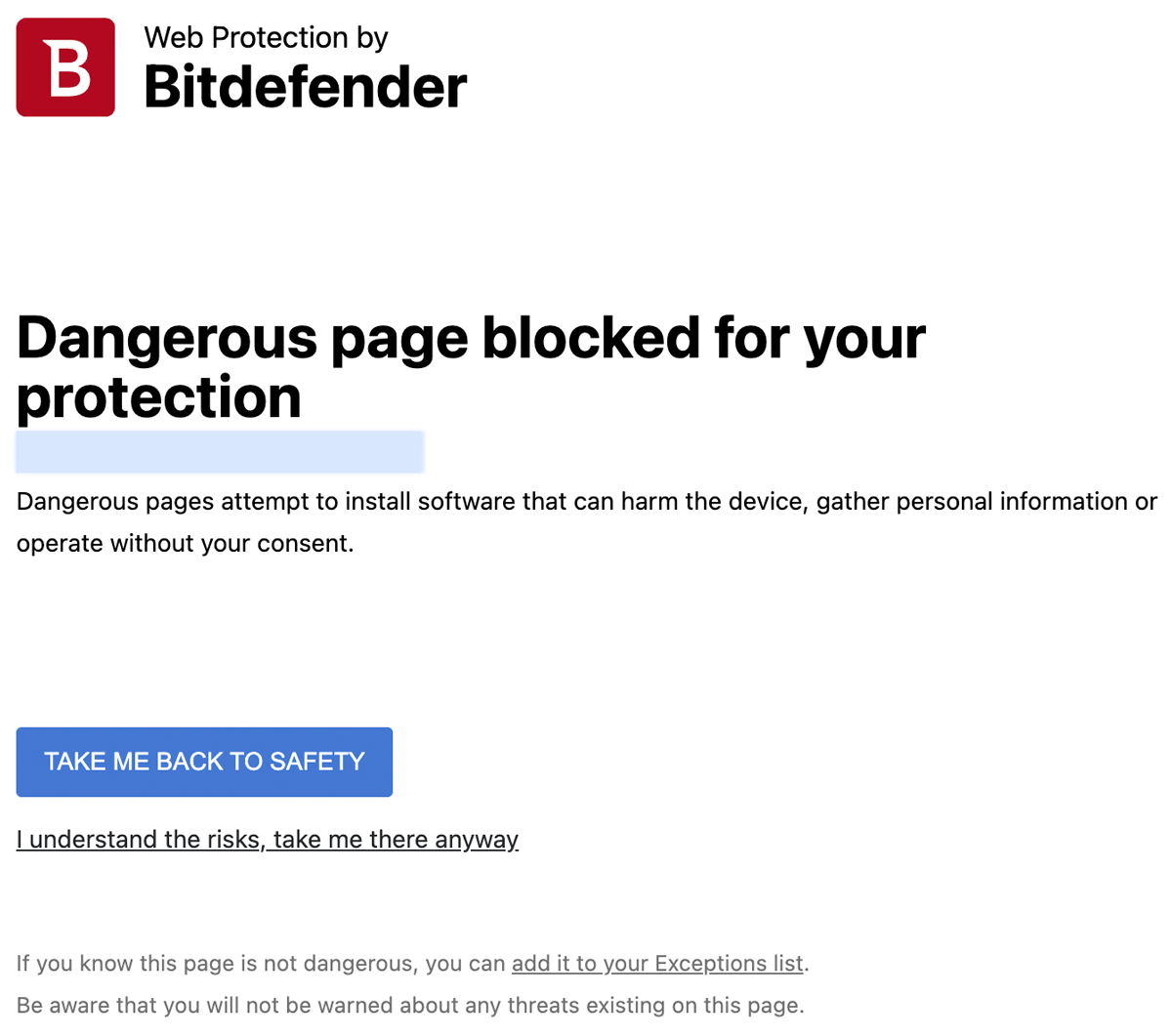
If you don’t have anti-virus software installed on your desktop device, get some. The client wasn’t even aware anything was wrong. This matters. Quite apart from the damage to your reputation (if it hadn’t been in our interest to review this site, we would have been gone), malware can steal and redistribute your customers’ Personally Identifiable Data (PID).
Leaking PID
In the UK, under GDPR and the Data Protection Act 2018. Organisations can face eye-watering penalties for failing to protect personal data. Fines can range up to £17.5 million or 4% of the organisation’s total global turnover, whichever is higher, for serious breaches.
- According to a study from the National Cybersecurity Alliance, 60% of small businesses close within six months of a major data breach
- Malware on your website can cost you your business
To convince our client that we weren’t making this up, we sent him links to professional cyber security sites where his site had been marked as infected.
We did as our software told us and backed ourselves out. To see what the client was seeing without risk to our own environment, we fired up a secure virtual machine – a temporary clone of a real computer – and ran some of our usual tests.
Sluggish Performance
Site speed matters. If you want to rank well, if you want your visitors to become customers and if you want customers to come back, you need a fast site.

From our secure environment, we ran Google’s Lighthouse tests … this site was going nowhere, fast.
Even if we weren’t happy to touch this site out of quarantine, our client gamely created an admin account for us, we logged in and had a look.
Out of Date Plugins
To be fair, WordPress itself was up to date (not many points for this, you can set the software to update itself) but the state of the plugins left a lot to be desired.
What’s Wrong With Plugins?
It’s a common problem for WordPress and WooCommerce websites – the platform is free use and made useful by the addition of additional bits of software – called plugins.
Some plugins are good, some are bad but all must be updated and reviewed regularly. With multiple excerpts of code developed by different teams at different times, the potential for leaving a site insecure is a real and constant risk.
Plugins are licensed on multi-site deals – the designer puts a site together using their preferred subscriptions and go away. It can become very unclear who is paying for what, or if payments have expired and updates no longer available.
You cannot, we repeat, cannot just build a WooCommerce site and leave it running. You need someone to maintain it –even if is only you.
We don’t know exactly what our client paid for the site, but it was clear it was done on a shoestring. It was clear, their hosts had badly let them down.
I mean, the clowns had even set the site to run under an insecure format!

First Impressions Matter
We discovered all of this within the first twenty minutes of looking at this website. It was in a bad way. As we said, this sick puppy was in urgent need of a website rescue … and Little Fire were the people to deliver.
Little Fire Digital to the (Website) Rescue
Immediately, we wen’t through the admin pages of the site – there were warnings from WordFence (a security plugin) detailing that some passwords saved on the site had been identified in a data breach. We changed all the passwords.
Password Security
It’s a big subject password security. But if you use the same password often, get yourself over to here and check that someone hasn’t nicked it already.
Manual File Cleanup
We’re pretty familiar with WordPress and the developers had left a software file manager on the site. Don’t do this, it’s not secure, but we took the opportunity to look at the file system. We deleted some files that we knew we didn’t need to be there.
Within a few hours, we had a website that most online testing tools were telling us were clean.
What Happened?
In all honesty, we don’t know, it appears passwords had been compromised, software was out of date (including explicit security updates) and the server itself was not running its own anti-virus software.
Quite frankly, this rubbish could have come from anywhere.
What Little Fire Did Next
We were still looking at an out of date website, running sluggishly on a server we didn’t trust as secure.
We need to get the site somewhere safe – so we transferred the website files to a quarantined directory on our server.
At Little Fire Digital, we pay money to license security software which scans the entire machine every 15 minutes. Our hosting is not the cheapest – but, if you want a budget parachute, go ahead, go elsewhere.
Before any code had run, we scanned the cloned site with the security software and were unsurprised to find yet more infected files – all of which we deleted.
You don’t want to need a website rescue – ask your hosts if their server runs Immunify AV (or similar). If they don’t, run a mile and call Little Fire.
The Website Rescue
Now we had a clean website where we wanted it …
Plugin Rationalisation and Repair
One of the biggest contributors to the site’s instability was the chaotic state of its plugins. The client had over 30 plugins installed – many of them outdated, no longer supported, no longer needed or installed incorrectly.
We conducted a complete audit of the plugin setup, identifying which ones were:
- Essential (and needed updating or reconfiguration)
- Redundant (duplicating functionality already covered elsewhere)
- Problematic (causing errors, compatibility issues or performance hits)
Our team then:
- Updated all key plugins to their latest stable versions
- Reinstalled or replaced poorly configured plugins with lightweight, compatible alternatives
- Replaced plugins which were part of a paid licence for which the client had not paid. This involved us recreating some content.
- Deactivated or removed anything unnecessary or risky
This alone brought a major stability boost, eliminating plugin conflicts and speeding up the backend interface significantly.
Hosting Upgrade and Performance Tuning
The site had been hosted on a low-cost shared server, which was simply not sufficient for the demands of a WooCommerce store. Page load times exceeded 6–8 seconds in some cases, and the server was not optimised for WordPress or e-commerce.
We migrated the site to a higher-performance hosting platform that supported:
- PHP 8+ for faster script execution
- LiteSpeed server technology, allowing us to take full advantage of the LiteSpeed Cache plugin
Post-migration, we fine-tuned the site further by:
- Setting up smart image optimisation and lazy loading
- Implementing database cleanups and scheduled maintenance scripts
- Set up the DNS to reach our server via Cloudflare enabling greater speed, security and a Content Delivery Network (CDN) to provide static files on of the Internet’s fastest networks.
Reputational Clean-Up
Once we were happy that the site was clean, free of malware and as secure as it could be, we made a manual request to the agencies that had blacklisted the old site.
They came back to us within 24 hours and announced the site had a clean bill of health.
The Results
The improvement was nothing short of transformative. Within days of relaunching the repaired and optimised site, the gift shop experienced:
- 100% malware-free site status, verified and maintained with ongoing security monitoring
- Zero plugin conflicts, with a leaner, more robust WordPress environment
- Improved SEO performance, with Google Search Console reporting healthy crawls and increased indexing. The site is now #1 in Google for the name of the shop

Google Lighthouse now reports mobile performance at 68% … that may not sound that awesome but the BBC only manages 63%.
It’ll do for now.
Ongoing Support and Maintenance
Following the rebuild, we set the client up with a proactive maintenance package, including:
- Regular site health checks
- Automated backups and malware scans
- Plugin and theme updates with compatibility checks
- Performance monitoring and uptime alerts
This ensures their WooCommerce store remains fast, secure and, eventually, profitable – without any of the stress they’d previously experienced.
Conclusion
We haven’t finished. We’ve set the site up in Search Console, Google Merchant Center and Analytics but we’ve yet to put these tools to good use.
We’ve added easy to read reporting tools to the back-end so the client can see exactly what’s going in with his site.
We have a lot to do, there are files in the site map that shouldn’t be there. The SEO in the products sections still has a lot of work to do … the list goes on,
But a neglected website can be brought back from the brink with the right expertise and attention to detail. At Little Fire Digital, we don’t just fix what’s broken – we help businesses build a stronger, more sustainable digital presence.
Don’t make yourself a victim of someone else’s slack standards: choose your developers carefully, choose your hosts carefully.
Does Your WordPress or WooCommerce Site Need a Website Rescue?
Let’s talk. At Little Fire Digital, we specialise in turning problem websites into powerful platforms for growth.
No one wants a budget parachute … choose Little Fire.